


Blog
Software Development in the Age of AI
- 22 January, 2026
- By Dave Cassel
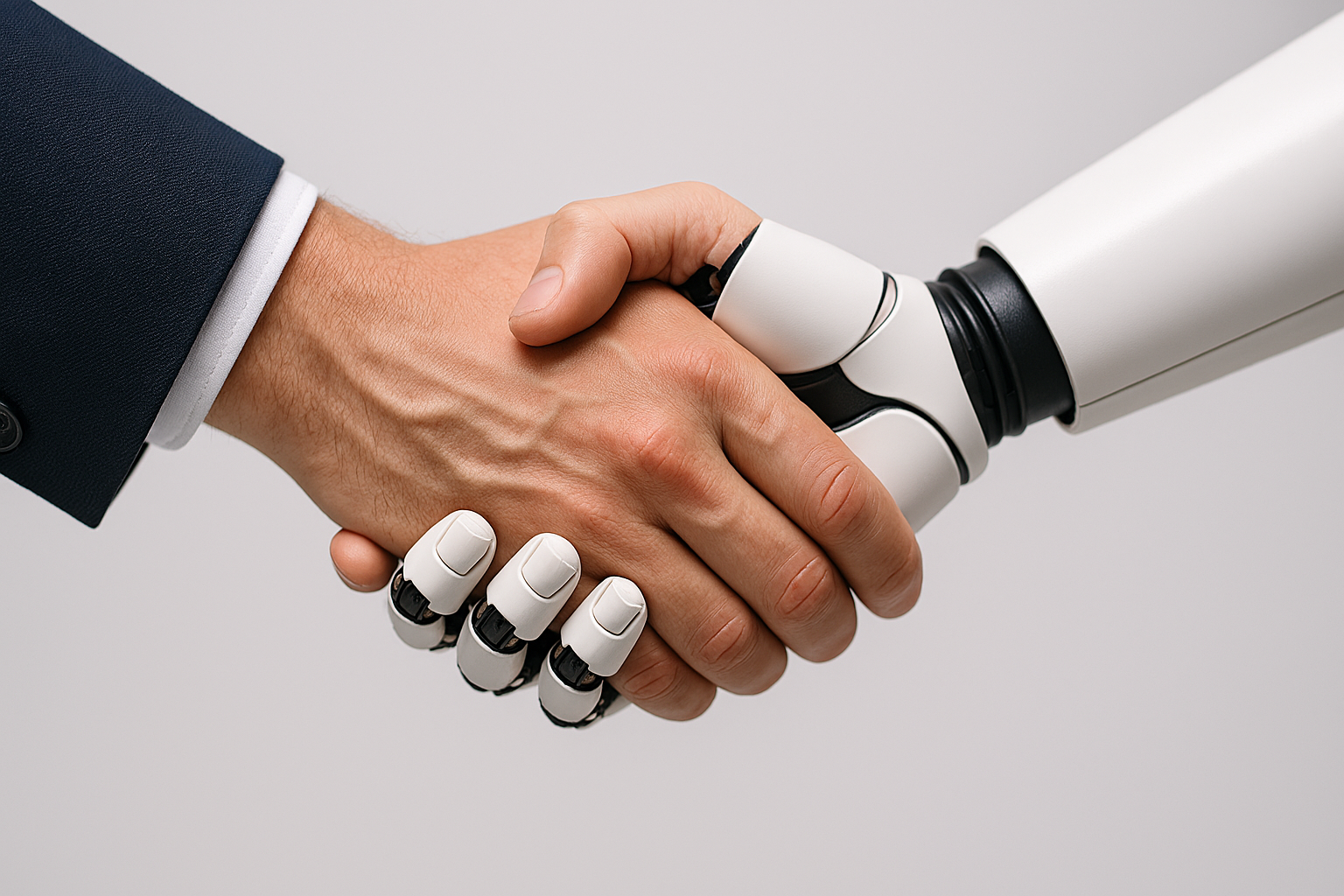
What does it mean to be a software developer at a time when AI can write code? I've been experimenting with AI tools to answer that question for myself. I've found what others have concluded: LLM-powered AI tools can be a great productivity boost in the right hands, but does not fully replace a skilled developer.
Let's cover a critical point early. If you take one thing away from this post, make it this:
The person using the tool remains responsible for the quality of the work.
I was taught the old adage "a poor craftsman blames his tools." That saying applies here. But what does this mean in practice? How do I, as a human developer, work with AI to get work done quickly and effectively while keeping quality up?
Tools
AI tools can be used in a variety of ways. For this experiment, I wanted to explore the boundaries, so I had AI writing code for me, not just being a sounding board. For my exploration, I used three tools.
- Manus (owned by Meta as of December 2025)
- Microsoft Copilot
- Anthropic's Claude
I used this approach with a couple projects:
- Building a simple CRUD web site from scratch
- Making progress on a dormant project that was human-built
Roles
Specify
Part of software development is translating business requirements into technical specifications. Vague requirements lead to guesswork about what needs to be done. Your AI will make choices that might work for you, but it's very likely you'll end up revising the prompt and asking it to do something different. This delays the work and wastes capacity.
This is true with human developers as well, of course. With a vaguely worded ticket, a developer might come back to the product owner (or whoever is providing requirements) and ask clarifying questions, or might make some assumptions. Some of these assumptions may not even be conscious ones. As developers working with AI, we need to ensure we are building the right thing.
A good prompt makes a big difference. Give the tool some context about what you're trying to accomplish. Indicate software or library choices that have already been made to constrain the approach. Work in steps: ask the AI to review the instructions, ask clarifying questions, then propose an approach. Review the approach and provide any course correction necessary before unleashing it to write code.
We can think of this aspect as the latest type of abstraction. Ultimately, our work leads to high or low voltage on wires. We abstract to binary, to assembly code, to low-level and high-level languages. We use libraries and external services. Each of these allows us to focus more on what we're trying to build instead of the details of how to build it. Providing detailed descriptions of what we want AI to accomplish provides another layer of abstraction.
Review
We can ask our AI tool for different levels of help. We could ask for a couple approaches that we then implement. We could ask it to produce a skeleton structure with comments of what needs to be filled in. With an Agentic AI, we can go as far as "Create a draft PR that...." I used this last approach for both of my experimental projects. I want a draft PR (which Github will block from merging until it has been converted to a regular PR) because I need to review what it has come up with before the work is really a candidate for inclusion in the project.
Regardless of what level of help we request, our next step is to evaluate what the AI tool has come up with. Does the approach make sense? Is it scalable? Is it maintainable? At least with today's technology, AI tools make mistakes (take a close look at the picture at the top of this post). It is the job of knowledgeable professionals who use the tools to catch the mistakes before they take root.
These mistakes can take many forms. One simple example: I had Manus create a page that let me browse items and filter by a few criteria. Its approach was to return
Of course, an error can be much bigger in scope than this simple example. If the AI tool is making choices about software components, it takes knowledge and experience to consider whether those choices will be valid over time. Getting locked into an approach that causes problems a year down the road is no fun. In contrast to the Specify stage, this is where we ensure that we are building the thing right.
With a fully human developer team, this process is part of peer reviews.
QA
Assuming that the approach taken is valid, there's still the key question of whether it works correctly. Does it meet all the acceptance criteria? Does it do the right thing with expected inputs? Does it respond gracefully to unexpected inputs? I would argue that the QA step (which is necessary regardless of how code is created) becomes even more important than ever. For a human developer using an AI tool, that developer needs to take on at least the initial QA responsibility.
Fix What it Can't
I'd expect anyone who has tried this approach has found cases where the AI simply failed at the task. It produces the wrong thing, or code that is invalid, or just doesn't work. I've gotten into loops:
- me: here's the problem
- AI: okay, try this (solution
A ) - me: that didn't work, here's what happened
- AI: ah yes, of course, try this (solution
B ) - me: that didn't work, here's what happened
- AI: ah yes, of course, try this (solution
C ) - me: that didn't work, here's what happened
- AI: ah yes, of course, try this (solution
A again!) - me: ... we already tried that?
Part of the human developer's role is to be able to make progress from this point. Sometimes the approach is to provide a better prompt. I've also gotten good results having a different AI system tackle the same problem, starting from where the first one got stuck. I've had Claude give me good answers when Manus can't figure something out. Sometimes we just have to apply the knowledge and skill that makes us highly valued professionals.
Further Considerations
There are a few other things that developers (and their managers) should think about.
Security
Since the rise of LLMs, this has been an important consideration. Where are your inputs going? Will they become part of future model training? For situations where you need to protect sensitive data or intellectual property, knowing the answers to these questions is important. For example, Manus is based in Singapore. Some types of data can't be shared with Manus due to privacy restrictions. The developer needs to be very aware of such restrictions. In some cases, the solution is for a business to have its own in-house LLMs. That introduces a maintenance burden (and may not have all the capabilities of some cloud-based tools), but gives confidence that the business can control its data.
Subscription Costs
Do you know how pricing works for your AI tools? Understanding pricing structures and capabilities is important for getting the best results. If I need a throw-away script to accomplish a simple task, Copilot can often handle that. Likewise, Copilot can look at a section of code and help you understand what it does. However, it's much less effective at bigger-picture problems. Manus has done much better with this.
An important element is what these tools are and how much access I have to them. Microsoft Copilot is part of our Microsoft 365 subscription. I have not upgraded, but this gives me broad access to GPT 5.2 model. With Manus, I have a subscription, so I get 300 tokens per day and a few thousand more per month. This is an agentic AI, so I can do things like give it a GitHub token, tell it to review an issue, ask clarifying questions, then create a PR to address the issue. I'm using the free level of Claude, but have given it access to a few directories on my laptop so that it can see (and after asking, write) files. This level gets me the Sonnet 4.5 model.
The options, capabilities, and pricing available at your organization are likely different. These tools are changing quickly; by the time you read this the models for each of mine may be very different. Understanding the costs and capabilities improves the efficiency you get from those tools.
Conclusion
You may be wondering how far I got using Manus and friends. I was successfully able to build a reasonably simple CRUD application using a database that I'm rusty on but familiar with. For the UI, Manus introduced a library that I later learned has come into common use (I write some UI code, but I tend to focus on the back end).
For getting the existing project unstuck, Manus created a PR that solved an issue that had been outstanding for months (largely due to prioritization).
My takeaway is that a knowledgeable developer can realize productivity gains from AI. As with most things, you'll get out of it what you put into it. A developer with sloppy habits will generate sloppy code much faster. There are cases where that can be okay -- if the job is low-priority, low-impact projects where errors won't cause problems. To build production-ready systems that people will rely on, technical leaders need to emphasize taking responsibility and pride in work done well. Focus on avoiding "slopware engineering"!
Share this post:
4V Services works with development teams to boost their knowledge and capabilities. Contact us today to talk about how we can help you succeed!

What does it mean to be a software developer at a time when AI can write code? I've been experimenting...